
Orthanc 1.12.9 User Impersonation
A simple code review can lead to some quick wins if you know where to look. A couple hours of staring at C++ code led us to a user impersonation vulnerability in Orthanc 1.12.9.
Authentication / authorisation vulnerabilities are some of the most common issues we find on penetration tests, so it makes sense to make a beeline for these areas in our research.
Plus, juicy high-impact unauthenticated vulnerabilities are great for our hacker cred. 😎
As usual, we can start by poking around for a thread to pull in the aptly named HttpServer.cpp.
static AccessMode IsAccessGranted(const HttpServer& that,
                                  const HttpToolbox::Arguments& headers)
{
  static const std::string BASIC = "Basic ";
  static const std::string BEARER = "Bearer ";

  HttpToolbox::Arguments::const_iterator auth = headers.find("authorization");
  if (auth != headers.end())
  {
    std::string s = auth->second;
    if (boost::starts_with(s, BASIC))
    {
      std::string b64 = s.substr(BASIC.length());
      if (that.IsValidBasicHttpAuthentication(b64))
      {
        return AccessMode_RegisteredUser;
      }
    }
    else if (boost::starts_with(s, BEARER) &&
             that.GetIncomingHttpRequestFilter() != NULL)
    {
      // New in Orthanc 1.8.1
      std::string token = s.substr(BEARER.length());
      if (that.GetIncomingHttpRequestFilter()->IsValidBearerToken(token))
      {
        return AccessMode_AuthorizationToken;
      }
    }
  }

  return AccessMode_Unauthorized;
}
Pretty basic stuff. We split out the user's credentials from the Authorization header and check that they're valid. This is called for every incoming request.
bool HttpServer::IsValidBasicHttpAuthentication(const std::string& basic) const
{
  return registeredUsers_.find(basic) != registeredUsers_.end();
}
Validating the basic/bearer credentials is a simple lookup for a matching entry within a set of strings.
It's interesting that the whole base64 username/password combination is stored as-is in the set, despite the usernames and passwords being stored separately within the JSON config. This seems like an odd choice, but what do I know?
Apart from software engineering disagreements, authentication seems solid. 😢

Wait, let's not hand in the badge and gun just yet. We still need to look at authorisation.
Orthanc doesn't implement authorisation directly, but does provide several options to add your own.
One option is to write a Lua filter that is called for each request and can allow / deny access based on usernames.
function IncomingHttpRequestFilter(method, uri, ip, username, httpHeaders)
  -- Only allow GET requests for non-admin users
  if method == 'GET' then
    return true
  elseif username == 'admin' then
    return true
  else
    return false
  end
end
Interesting, but still no vulnerability. Let's check where this filter is called within the C++ code and see where the username argument comes from.
static std::string GetAuthenticatedUsername(const HttpToolbox::Arguments& headers)
{
  HttpToolbox::Arguments::const_iterator auth = headers.find("authorization");

  // --- snip ---

  std::string b64 = s.substr(6);
  std::string decoded;
  Toolbox::DecodeBase64(decoded, b64);
  size_t semicolons = decoded.find(':');

  if (semicolons == std::string::npos)
  {
    // Bad-formatted request
    return "";
  }
  else
  {
    return decoded.substr(0, semicolons);
  }
}
The code returns everything in the username:password combination up to the first : as the username.
😏
You may have already gotten some ideas, but lets recap what we've found so far:
- Basic authentication uses the Authorization header with a base64 encoded value of the
username:passwordcombination. - Orthanc looks up this base64 encoded value as-is to authenticate the user.
- Authorisation filters act based on the username and the URI.
- As per the basic authentication spec, the first colon in the
username:passwordcombination separates the username from the password.
Exploitation
What if, bear with me here, we put a colon in the username? 😮
If we could create a user with the username admin:trustmebro then the full basic string would be admin:trustmebro:supersecretpassword.
The authentication process just looks the encoded value up in a set. It doesn't care about the actual value. The authorisation filter on the other hand, receives the username from before the first colon in the username/password combination, which in this case is admin.
Let's try it out!
function IncomingHttpRequestFilter(method, uri, ip, username, httpHeaders)
  print("Lua filter: '" .. username .. "' -> '" .. uri .. "'")
  if username == 'admin' then
    return true
  else
    return false
  end
end
Lua filter to deny all access to non-admins and print usernames
"RegisteredUsers" : {
  "admin": "admin",
  "admin:(": "sadmin",
  "admin:trustmebro": "supersecretpassword"
}
Add our user to the config (encrypted with UTF-8 so no one can read it)
Now we can try to sign in.

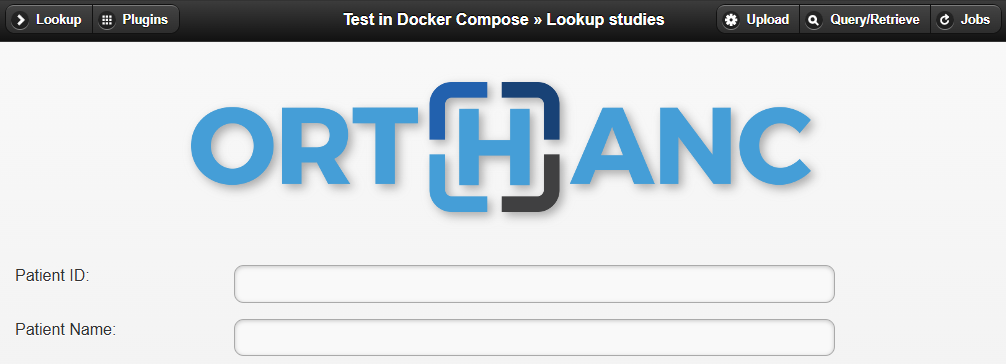
What does our authorisation filter say about that?


Wrap Up
So, what have we actually got here?
We can make our own user account that will appear to Orthanc as a different user of our choosing, as long as:
- We're using basic authentication + authorisation filters.
- Authorisation filters are applying access control rules based on usernames.
- We can convince an Orthanc system admin to add our
admin:totally_not_sususer to the config.
Unlikely to be exploited, but still pretty cool for a few hours' work.
Project Black is an Australian penetration testing firm that invests heavily in research. If you have any penetration testing requirements, we're a CREST accredited organisation and are here to help!