Fixing ESC8 - Web Enrollment is enabled over HTTP and HTTPS, and Channel Binding is disabled
Stop ESC8 relay attacks by enforcing Extended Protection for Authentication (EPA) and TLS encryption.

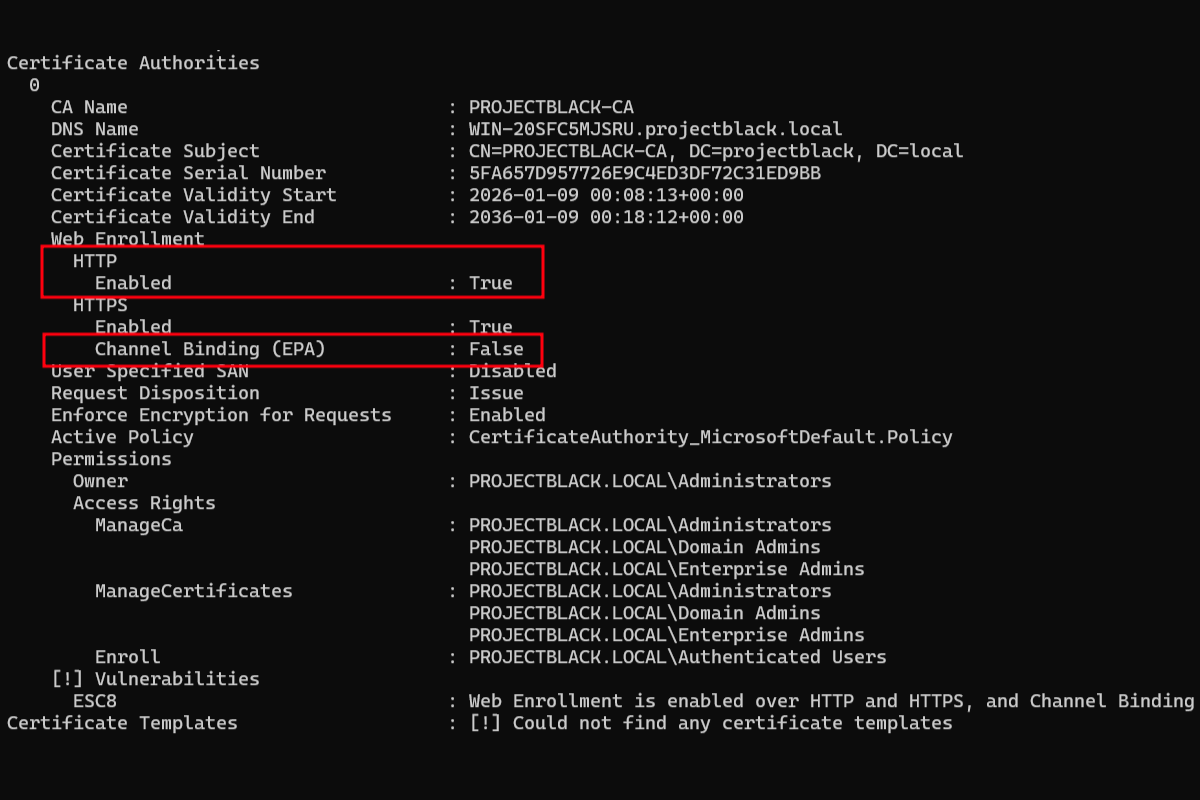
An authentication coercion attack can force a computer in the domain to connect to you the attacker. Normally these coercion attacks aren't very impactful:
- You can capture a computer account password hash and try to crack it. But, cracking these passwords are practically impossible.
- You can try to relay the connection to another host if things like SMB Signing are disabled. But, most of the time computer accounts aren't provided privileges on other hosts.
This changes if you've deployed Certificate Authority Web Enrollment or Certificate Enrollment Web Service in their default configurations.
Sidenote: isn't it insane that this is vulnerable by default?
If we can relay a connection request from your domain controller computer account (e.g. DC01) to your ADCS server, we can abuse ESC8 to obtain a certificate on behalf of your domain controller.
This grants penetration testers and attackers instant administrative privileges on the domain controller.
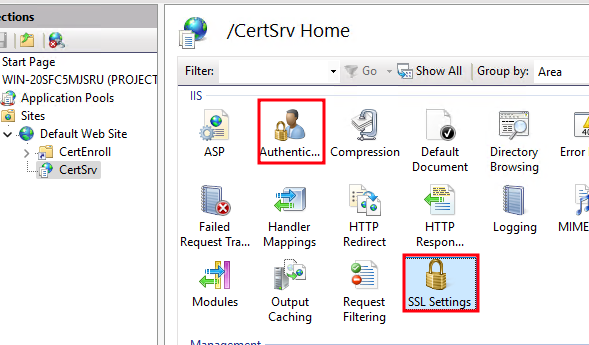
To fix this, the settings we will be changing can be found under Authentication and SSL Settings for the target Sites in IIS Manager.
Both setting changes are required to mitigate ESC8.
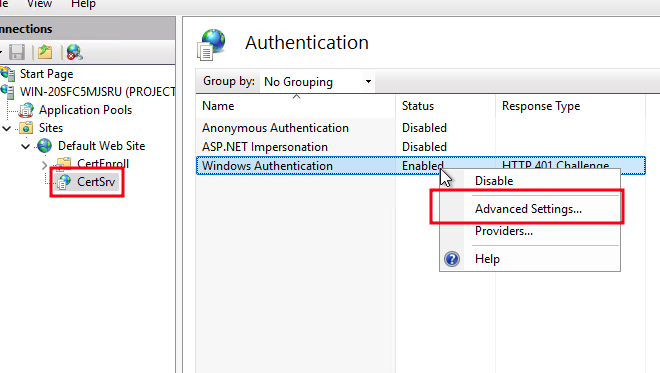
Requiring Channel Binding/EPA
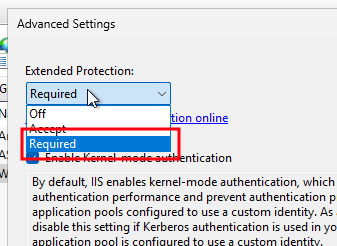
Find the advanced settings section for Windows Authentication.
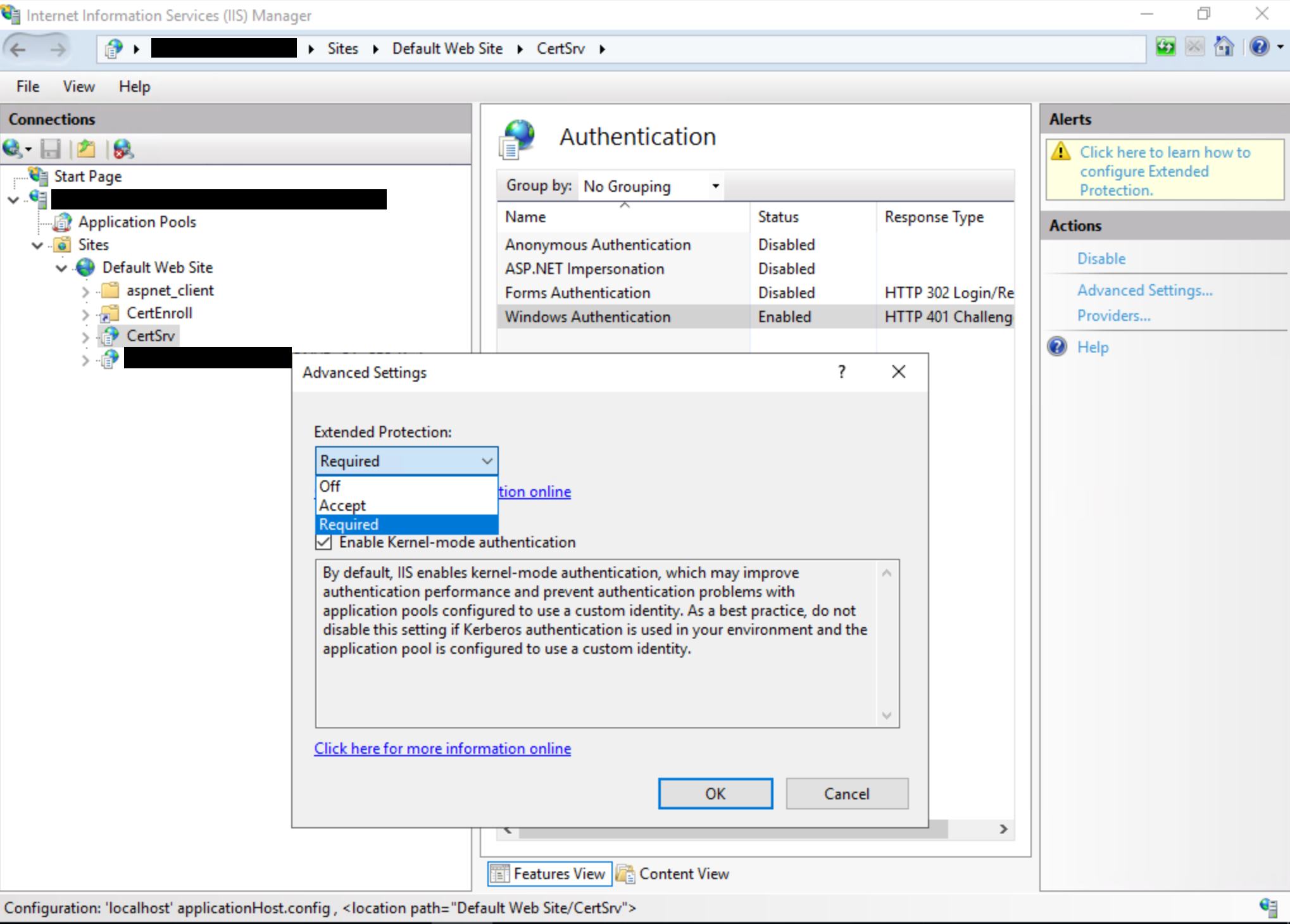
Set Extended Protection to Required.
Impact of Requiring EPA
The main impact of requiring EPA will be that SSL offloading will no longer be supported.
In most environments, this isn't applicable. SSL offloading is when you might have a load balancer proxy connections to the IIS web server instead of browsing directly to the server.
Requiring SSL
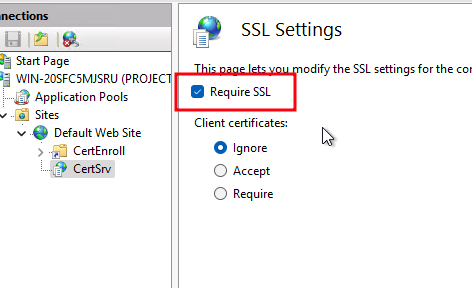
For SSL, tick "Require SSL" and apply then setting.
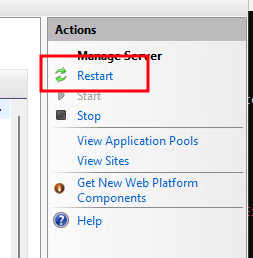
Finally restart the IIS server.
Reference