
Fixing ESC1 - Enrollee supplies subject and template allows client authentication
ADCS misconfigurations are one of the most common privilege escalation vectors we encounter. This article covers steps to remediate ESC1 flaws.

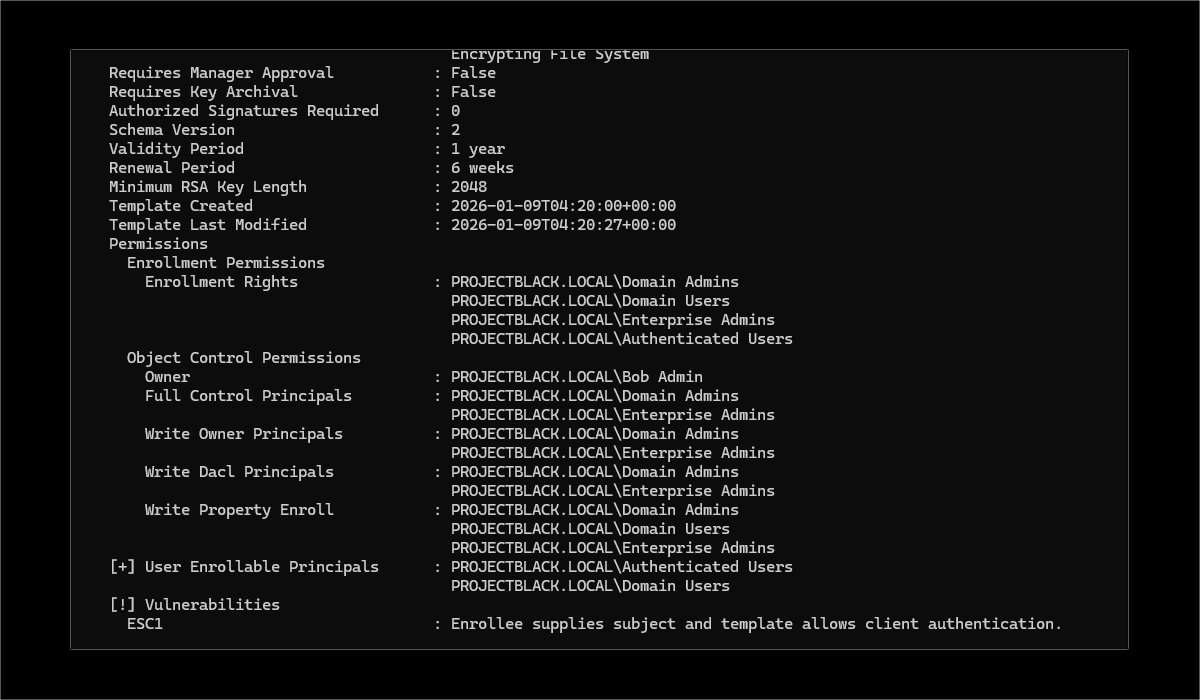
The ESC1 misconfiguration permits a low privileged user to request a certificate for any other account. For example, this would allow Dave in HR to request a certificate for Bob who is a domain admin.
The Fix
Deleting the certificate template altogether resolves the issue but in most cases these vulnerable certificate templates exist for a reason. If deleting the template isn't practical the solutions below will also work.
Removing "Supply in request"
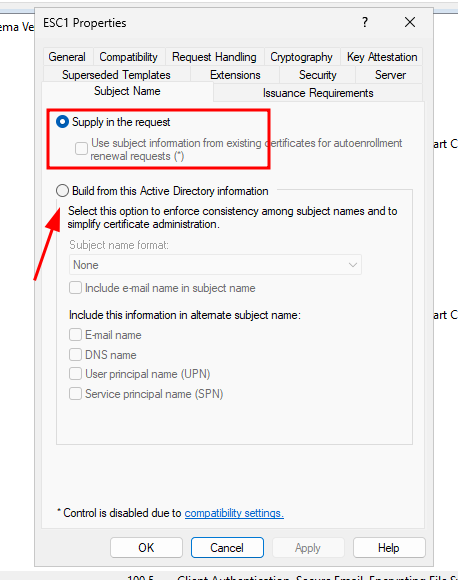
When "Supply in request" is ticked, it means the certificate requester (user) tells the certificate authority (CA) what name (subject) should be on the certificate.
In contrast, building from Active Directory information means the CA will only issue certificates that match the identity of the requester.
Reduce Permitted Enrolees
As an alternative, you can still permit the requester to supply the subject but restrict who can actually request these certificates.
In ADCS, this is controlled with the Security tab and the Enrol permission.
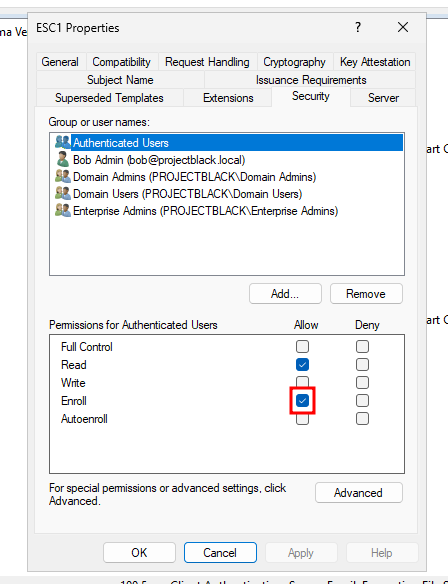
By restricting this certificate template to just Domain Admins or a trusted group of otherwise privileged users you can reduce the chance of exploitation.
Require Manager Approval
If you expect certificate requests to originate from a large range of users, ADCS also provides a built-in approval process you can enable to mitigate this vector.
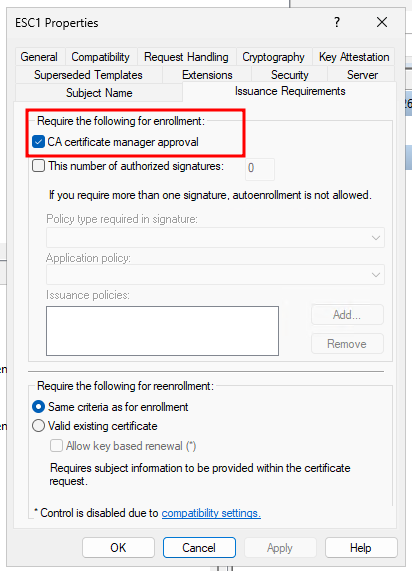
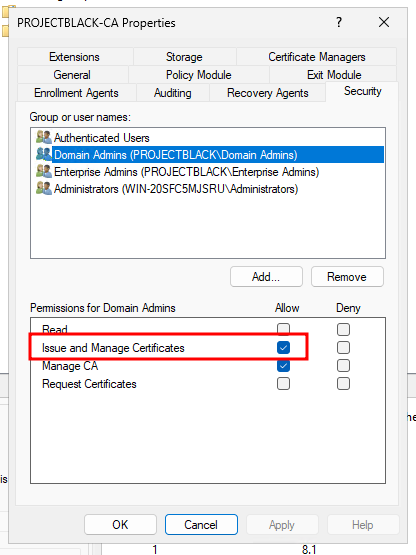
Ticking "CA certificate manager approval" will require a user with the "Issue and Manage Certificates" permission to manually approve the request.
By default this includes:
- Domain Admins
- Enterprise Admins
- Administrators of the CA server
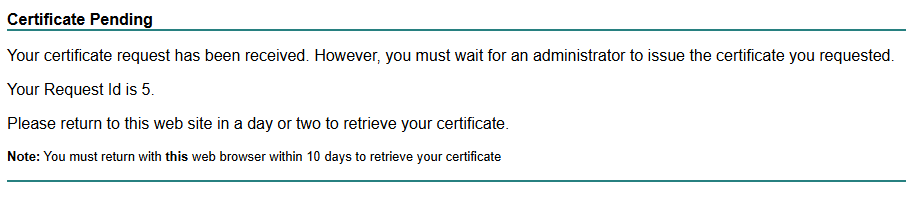
Requesting a certificate as a user will now show the following pending message.
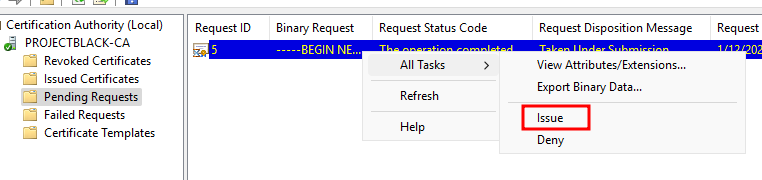
Administrators can then manually approve requested certificates after reviewing the requested certificate to see if it's a valid request (don't approve a request from Dave for a certificate with Bob's name).
Authorised Signatures
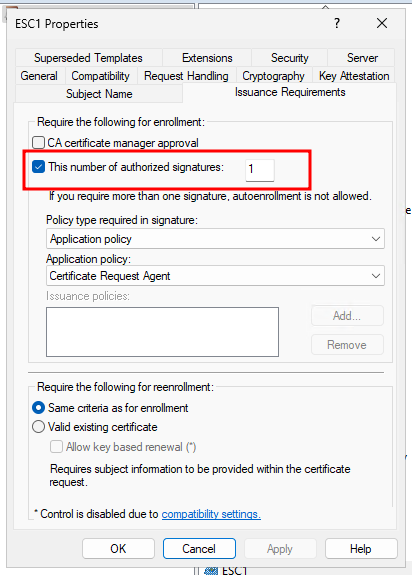
The final mitigation method involves enforcing cryptographically signed certificate requests (CSRs) but is a bit more involved.
The Application policy lets you specify the type of certificate you expect the CSR to be signed by. The Issuance policy lets you configure the level of Trust that the signing certificate must have.
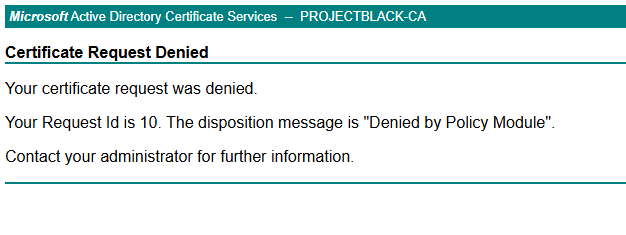
Without a signed CSR our request by Dave now gets rejected.
But if we convince Bob (who has access to an applicable signing key) we can obtain a valid CSR which can then be exchanged for a cert.

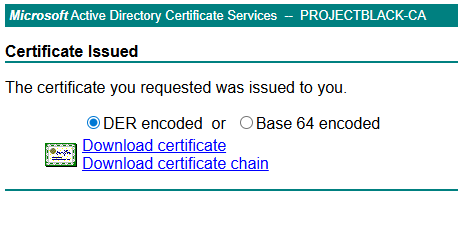
This could be built into automation to programmatically screen CSRs that are approved or expected; alternatively, you could delegate it to an individual by issuing them a certificate to sign CSRs. Like manager approval, the robustness of this mitigation for ESC1 depends on the CSRs being reviewed.
Checking Again
To double-check that your mitigations are correctly applied, you can use Certipy from a low-privileged user account on Kali Linux.
# Install certipy on Kali
sudo apt install certipy-ad

# Check for any vulnerable certificate templates
# with a low privileged domain user
certipy-ad find -u 'dave' -p 'PASS' -dc-ip 192.168.2.70 -vulnerable -enabled

[*] Finding certificate templates
[*] Found 34 certificate templates
[*] Finding certificate authorities
[*] Found 1 certificate authority
[*] Found 12 enabled certificate templates
[*] Finding issuance policies
[*] Found 15 issuance policies
[*] Found 0 OIDs linked to templates
--- SNIP ---
Certificate Templates: [!] Could not find any certificate templates
It says couldn't find any certificate templates but it means it couldn't find any vulnerable certificate templates.